

Description
WorkNC Machining 2D & Cylindrical Shapes
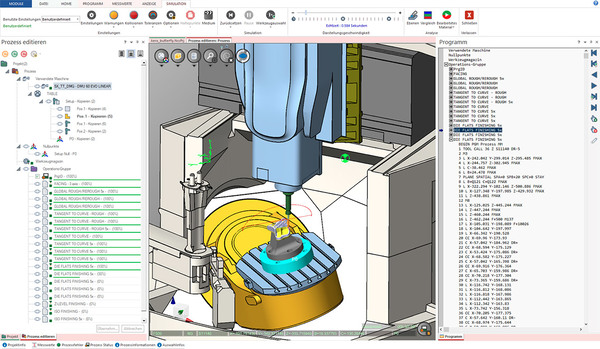
WorkNC's machining functions 2D and cylindrical shape machining allow you to machine prismatic parts and program drilling operations on your parts. These functions can be applied to curves, surface or solid entities, and can be programmed on holes, whether they were drawn on the CAD model or not.
Overview of features
Ideal for less complex prismatic parts
Machining functions for surfaces and curves
Fully automated generation of drilling operations
Management of deep holes and intersecting holes
Management of inclined drilling
Inclined machining
When it comes to simpler geometries, WorkNC is there to help you. Toolpaths 2D on curves or surfaces are combined with manual or automatic hole machining functions to allow you to machine prismatic parts or carry out all types of drilling.
WorkNC offers numerous functions for machining curves 2D, allowing you to machine directly from independent entities 2D or curves extracted from models 3D. To program more quickly, most of these functions 2D can be executed directly on a solid face without going through curve extraction.
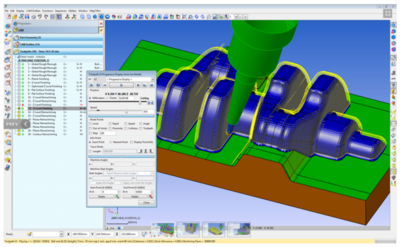
These functions enable the machining of pockets, profile machining, engraving, chamfering, facing and other standard types of machining 2D. Although these functions are considered machining operations 2D, curves do not necessarily have to be limited to a plane 2D. Functions such as engraving or profile machining apply just as easily to curves 3D.
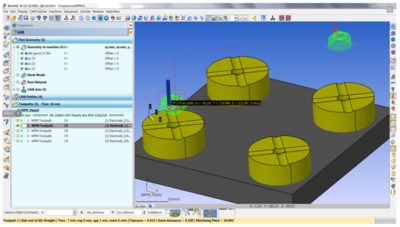
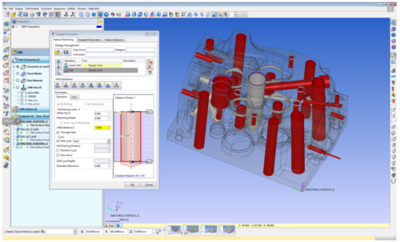
Feature recognition is used for automatic hole machining. WorkNC detects and machines all cylindrical shapes, regardless of vector or plane. Predefined strategies allow you to program a large number of holes in a few seconds. Built-in intelligence enables safe machining of deep holes and intersecting holes.
In addition to the automatic detection and machining function, you have a set of manual hole machining functions. They are very useful for quick drilling that does not require adding to your model. Even if the holes are not drawn on your CAD model, you can still program them from sets of points.
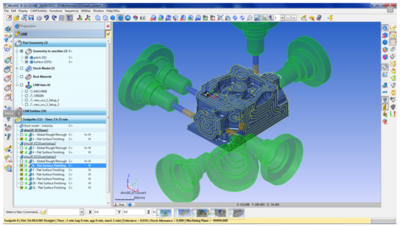
The automatic and manual drilling functions can be used with machining vectors. Tool holder and machine collision detection functions can be used with toolpaths 2D.
WorkNC's machining functions 2D and cylindrical shape machining allow you to machine prismatic parts and program drilling operations on your parts. These functions can be applied to curves, surface or solid entities, and can be programmed on holes, whether they were drawn on the CAD model or not.
Overview of features
Ideal for less complex prismatic parts
Machining functions for surfaces and curves
Fully automated generation of drilling operations
Management of deep holes and intersecting holes
Management of inclined drilling
Inclined machining
When it comes to simpler geometries, WorkNC is there to help you. Toolpaths 2D on curves or surfaces are combined with manual or automatic hole machining functions to allow you to machine prismatic parts or carry out all types of drilling.
WorkNC offers numerous functions for machining curves 2D, allowing you to machine directly from independent entities 2D or curves extracted from models 3D. To program more quickly, most of these functions 2D can be executed directly on a solid face without going through curve extraction.
These functions enable the machining of pockets, profile machining, engraving, chamfering, facing and other standard types of machining 2D. Although these functions are considered machining operations 2D, curves do not necessarily have to be limited to a plane 2D. Functions such as engraving or profile machining apply just as easily to curves 3D.
Feature recognition is used for automatic hole machining. WorkNC detects and machines all cylindrical shapes, regardless of vector or plane. Predefined strategies allow you to program a large number of holes in a few seconds. Built-in intelligence enables safe machining of deep holes and intersecting holes.
In addition to the automatic detection and machining function, you have a set of manual hole machining functions. They are very useful for quick drilling that does not require adding to your model. Even if the holes are not drawn on your CAD model, you can still program them from sets of points.
The automatic and manual drilling functions can be used with machining vectors. Tool holder and machine collision detection functions can be used with toolpaths 2D.
Technical specifications
| Category | Robotics, Automation, Industrial IT |
|---|---|
| Subcategory | Industrial software |