

Description
WorkNC Machining 3+2 axes
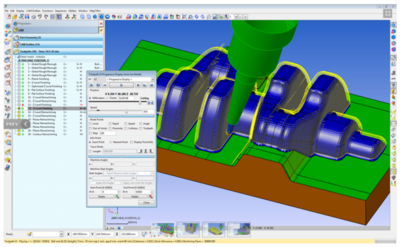
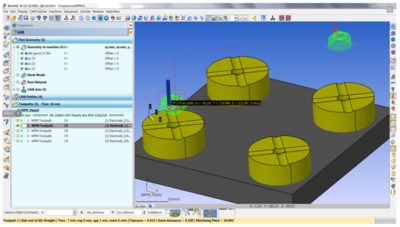
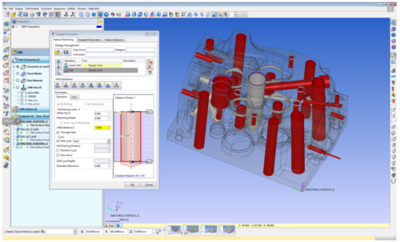
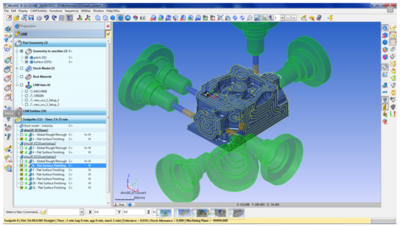
WorkNC can machine in any direction, whatever the angle, for any type of toolpath and any type of machine.
This is done very easily by defining a "view" based on the cutting direction. Machining along inclined walls, undercuts, or at a specific angle can therefore be carried out with a minimum of setup.
Overview of features
3+2 machining in any direction
Applicable to any type of toolpath
Collision prevention identical to 3 axes
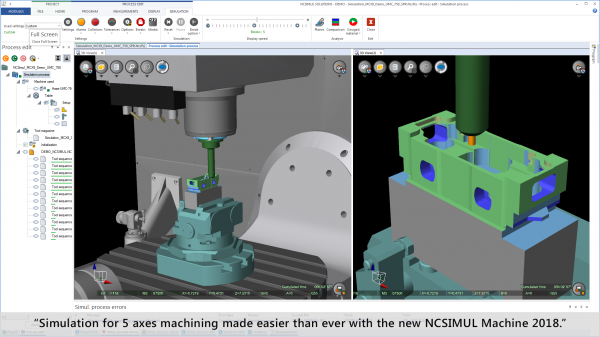
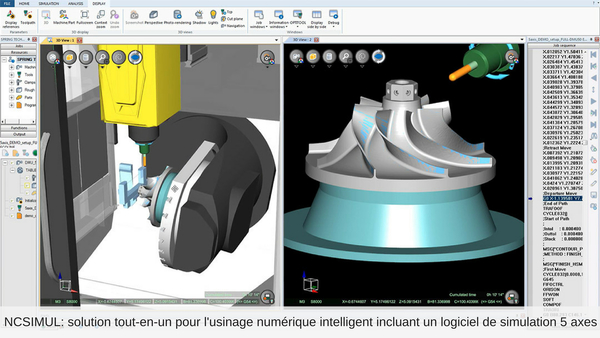
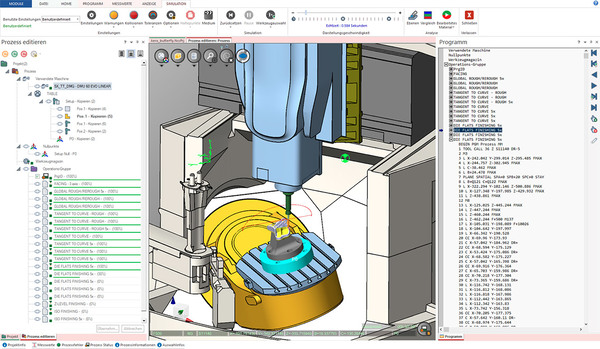
Simulation with the machine and collision indicators
Selectable angle control for the machine
Tool orientation control with the machine for view definition
The post-processor handles inclined planes for drilling
WorkNC provides several tools to ensure that the angles required for 3+2 axes toolpaths can be achieved without collision on a specific machine. Tool holder collisions can be automatically avoided, as for any type of toolpath. A complete simulation of the machine and toolpath on screen is possible to verify the process before sending the NC code to the machine tool.
Control of the starting angle is also very important. There is often more than one angular option for machining a view. The ability to simulate, choose a starting angle and then use this angle in the post-processor is extremely advantageous, particularly when machining deep cavities or at the base of walls.
The post-processor can be configured to generate "inclined plane" angles and coordinates (for example "PLANE SPATIAL" for Heidenhain controllers and "CYCLE800" for Siemens) or inclined machine code for the controller or machine configuration. This allows the generation of drilling cycles for inclined holes.
WorkNC also offers stock management features in 3D and at 360°. The stock model can be continuously updated based on any toolpath, and used for roughing and rest machining in any direction.
The stock model 3D is thus updated taking into account all material removal in undercut areas.
WorkNC can machine in any direction, whatever the angle, for any type of toolpath and any type of machine.
This is done very easily by defining a "view" based on the cutting direction. Machining along inclined walls, undercuts, or at a specific angle can therefore be carried out with a minimum of setup.
Overview of features
3+2 machining in any direction
Applicable to any type of toolpath
Collision prevention identical to 3 axes
Simulation with the machine and collision indicators
Selectable angle control for the machine
Tool orientation control with the machine for view definition
The post-processor handles inclined planes for drilling
WorkNC provides several tools to ensure that the angles required for 3+2 axes toolpaths can be achieved without collision on a specific machine. Tool holder collisions can be automatically avoided, as for any type of toolpath. A complete simulation of the machine and toolpath on screen is possible to verify the process before sending the NC code to the machine tool.
Control of the starting angle is also very important. There is often more than one angular option for machining a view. The ability to simulate, choose a starting angle and then use this angle in the post-processor is extremely advantageous, particularly when machining deep cavities or at the base of walls.
The post-processor can be configured to generate "inclined plane" angles and coordinates (for example "PLANE SPATIAL" for Heidenhain controllers and "CYCLE800" for Siemens) or inclined machine code for the controller or machine configuration. This allows the generation of drilling cycles for inclined holes.
WorkNC also offers stock management features in 3D and at 360°. The stock model can be continuously updated based on any toolpath, and used for roughing and rest machining in any direction.
The stock model 3D is thus updated taking into account all material removal in undercut areas.
Technical specifications
| Category | Robotics, Automation, Industrial IT |
|---|---|
| Subcategory | Industrial software |